

← Work · Food service equipment · Managed IT and support
Safer email for a small kitchen equipment company
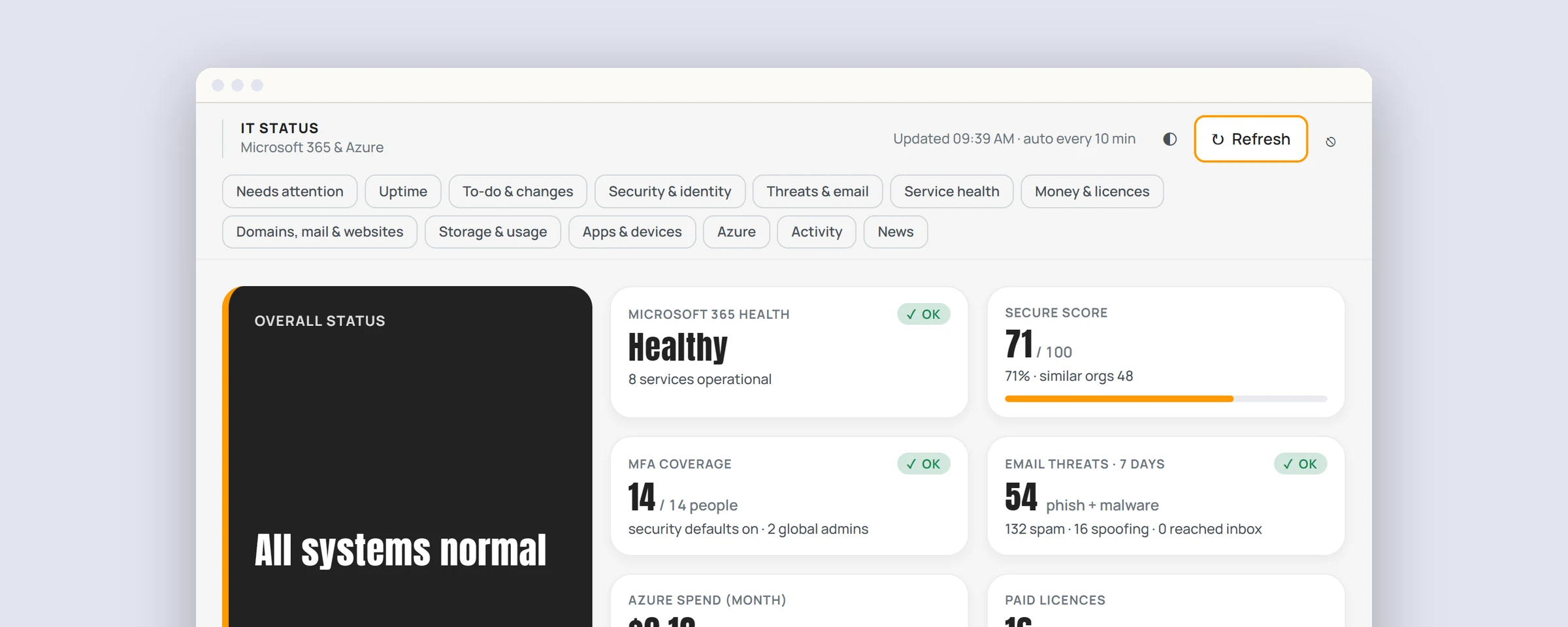
- Client
- A commercial kitchen equipment supplier with a team of about 15
- Services
- Managed IT and support
- Timeline
- Key fixes in place within two days, with ongoing management since
- 400+attempts a month to break into the company’s email, now with nothing to get into
- 2 daysto put the most important fixes in place
- $0in new licenses or software
Email is where most small businesses get hurt: a fake invoice, a link that steals a password, a message that seems to come from the boss. This client’s email ran on Microsoft 365 and worked well day to day. The security around it hadn’t kept pace.
The challenge
The company sells and services commercial kitchen equipment for restaurants and caterers, and its small team handles orders, quotes and invoices by email every day. Like many growing businesses, they had no one dedicated to IT. Microsoft 365 did its job, but its security settings hadn’t been revisited since it was first set up.
Our review found three areas to address:
- Protecting their name. Nothing stopped someone sending email that appeared to come from the company, such as a fake invoice to a customer.
- Getting full value from their licenses. Their plan included Microsoft’s stronger protection against phishing, dangerous links and attachments, but it was running on default settings.
- Locking down shared inboxes. Attackers were actively trying to sign in to shared addresses like info@ and sales@. None had succeeded, but those inboxes were more exposed than they needed to be.
Our approach
We began with a review that changed nothing. Using AI, we worked through the company’s entire Microsoft 365 setup in a day: accounts, mailboxes, recent sign-in activity, sharing and security settings. Our team checked every finding by hand.
The client got a clear, prioritized plan: what mattered most, what it would cost, and what could be fixed straight away. Once they’d agreed it, we made the changes and confirmed that each one worked.
Stopping look-alike email
Three settings on the company’s domain decide whether other mail systems trust email sent in its name. We brought all three up to current best practice:
- SPF, which lists the systems allowed to send email as the company.
- DKIM, a digital signature on every outgoing email, now using a stronger key.
- DMARC, which tells other mail systems what to do with email that fails those checks, and sends the company regular reports on who is using its name.
DMARC is tightened in stages, so genuine email is never blocked by mistake. Once the reports confirm that only the company’s own systems send as them, look-alike email is turned away before it reaches anyone’s inbox.
Catching scams before they land
The company’s plan already included Microsoft Defender for Office 365. We set it up to Microsoft’s recommended standard for everyone:
- Stricter filtering for spam, phishing and malware, with the riskiest messages held in a secure quarantine instead of the inbox.
- Impersonation protection, which flags email pretending to be key people or the company itself.
- Links checked at the moment someone clicks them, with no way through to a known dangerous site.
- Attachments checked in a safe space before they reach anyone.
Closing the doors
No attempt to break in had succeeded. We made sure none could:
- Shared inboxes are now reached only through each person’s own secure sign-in. Nothing changed for the people who use them.
- Outdated ways of connecting to email, the kind attackers favor, are switched off.
- Accounts no longer in use are closed.
- Activity is fully logged, so any future issue can be looked into quickly.
- Admin access has a secure backup plan.
We also set up monitoring and alerts across their systems, so we hear about a problem before the company does.
What it cost
No new licenses and no new software. Everything here was already part of the company’s Microsoft 365 plan. It just needed setting up properly.
Supporting the team
Security changes work best when people know what to expect. The changes that affected people’s day came with clear, plain-language documentation, so no one was left guessing.
Stronger filtering means some email now waits in quarantine, with a regular summary of what was held back. A short staff guide covers how to review those messages, release the ones that are genuine, and spot the fake “quarantine” emails scammers use to steal passwords. And the team always knows where to go for help.
The result
- The company can see who is sending email in its name, and look-alike email is being shut out in stages.
- Phishing, dangerous links and attachments are stopped by protection they were already paying for.
- Shared inboxes are no longer an open target.
- Staff have clear guidance and know where to get help.
- We stay on it, with ongoing monitoring and a full security review every quarter.
Three checks for your own email
Most small organizations we look at have at least one of these gaps:
- Do you have a DMARC record? Without one, anyone can send email that looks like it came from you.
- Are you using the protection you already pay for? Many Microsoft 365 plans include stronger anti-phishing settings that aren’t fully switched on.
- Can anyone sign in to your shared inboxes directly? They don’t need their own password, and attackers know it.
Not sure? We’re happy to take a look.
Some details, including the client’s industry, have been changed to protect their privacy.
Worried about scam email?
Tell us what’s going on. We’ll check your setup and tell you what to fix first.