

← Work · Commercial photography · Custom apps, AI and data
1st AC™: a camera assistant for a small photography company
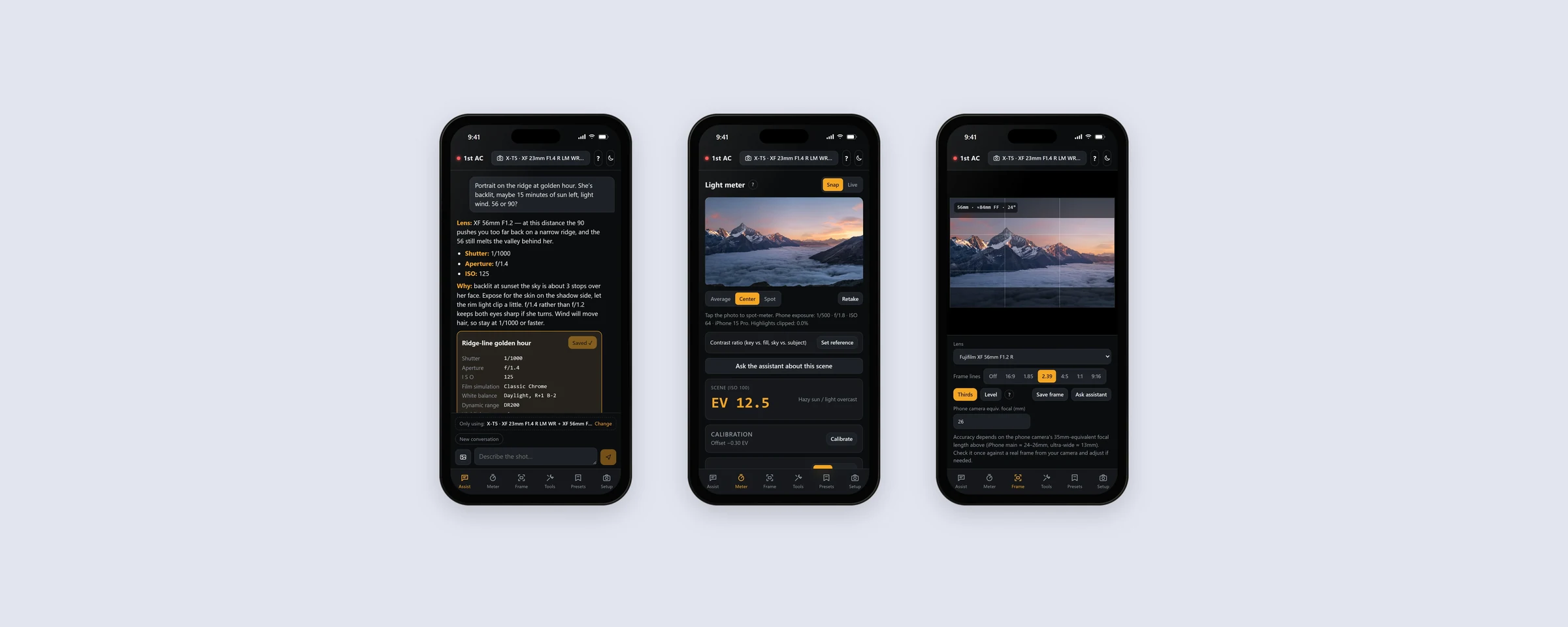
We built an app that makes the lens, exposure, focus and framing calls for the exact kit in their bag, on the phones already in their pockets.
- Client
- A small commercial photography company
- Services
- Custom apps, AI and data
- What we built
- 1st AC, an installable app for phones and desktops, with an AI assistant
On a shoot, the first assistant camera, the “1st AC”, keeps every shot sharp, exposed and ready, so the operator can watch the story. Small crews don’t have one. So we built them one.
The challenge
The company’s photographers shoot commercial work on location with a small crew and no camera assistant. Every call is theirs to make on the spot: which lens, which settings, which filter, and how long the light will last. Generic charts and calculator apps don’t know their gear.
What we did
We built 1st AC, an app that knows their cameras, lenses and filters and works through those calls the way an assistant would.
- An assistant that knows the kit. Describe the shot in plain words, or attach a photo of the scene. It answers inside the gear packed for the day, follows each photographer’s rules (handheld only, 180° shutter, an ISO ceiling) and explains why.
- A light meter on every phone. It reads the exposure from a snapped photo and gives an absolute reading, calibrated once to each camera.
- A director’s viewfinder. The phone’s camera, cropped to each lens’s real field of view, with frame lines.
- The calculations a camera department does by feel. Depth of field, zone focus, motion, ND and long exposure with their own filters, sun and golden hour, a packing list and a rain check.
- Presets. Any settings answer saves in one tap and turns into the menu path for a custom slot on the camera.
It installs from the browser on any phone, with no app store. The meter, viewfinder and calculators work offline. The team signs in with the Microsoft 365 accounts they already had.
Inside the app
One app in the bag.
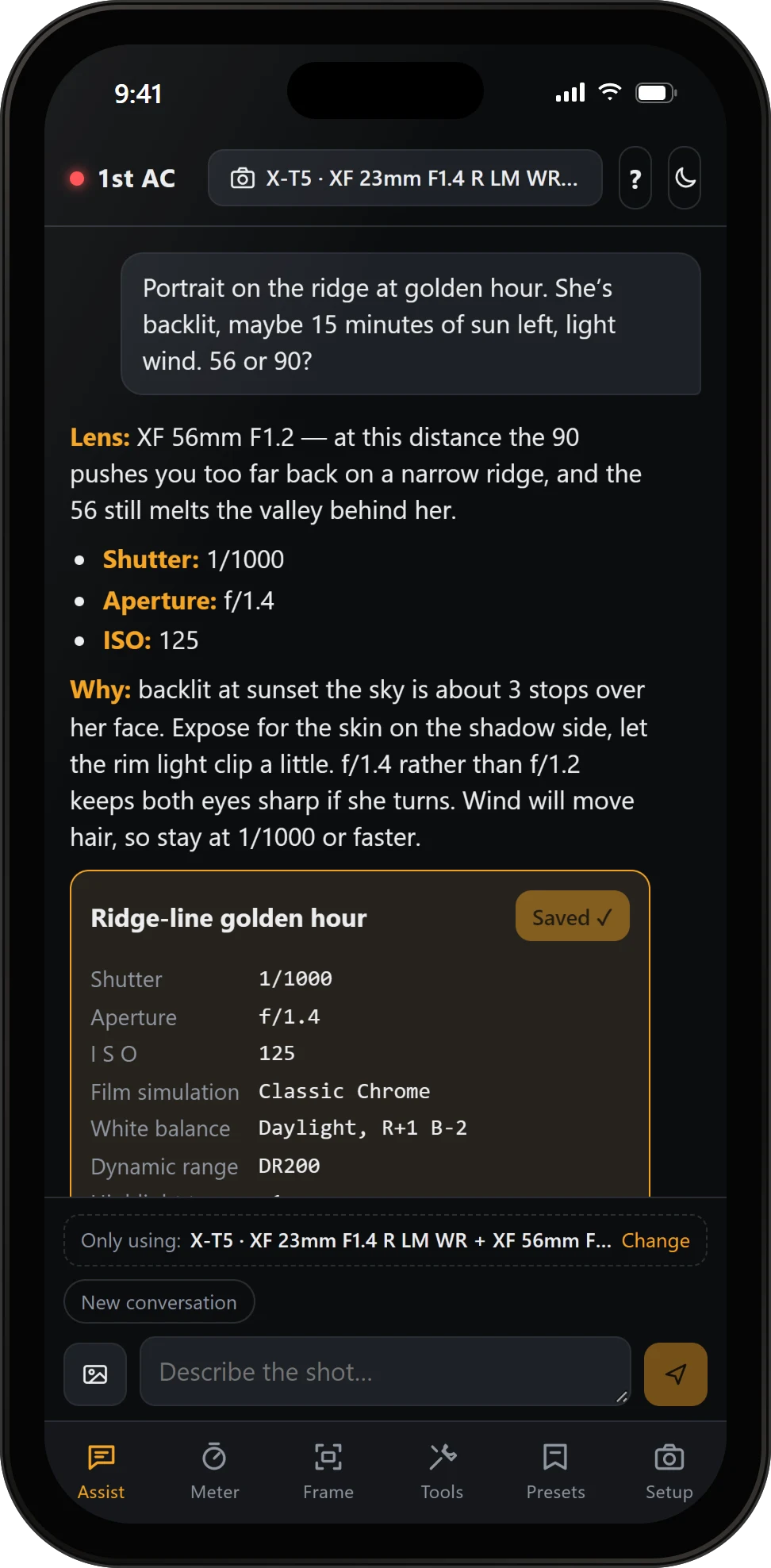
Assist
Ask the way you’d ask your AC. Lens, settings and the reason why.
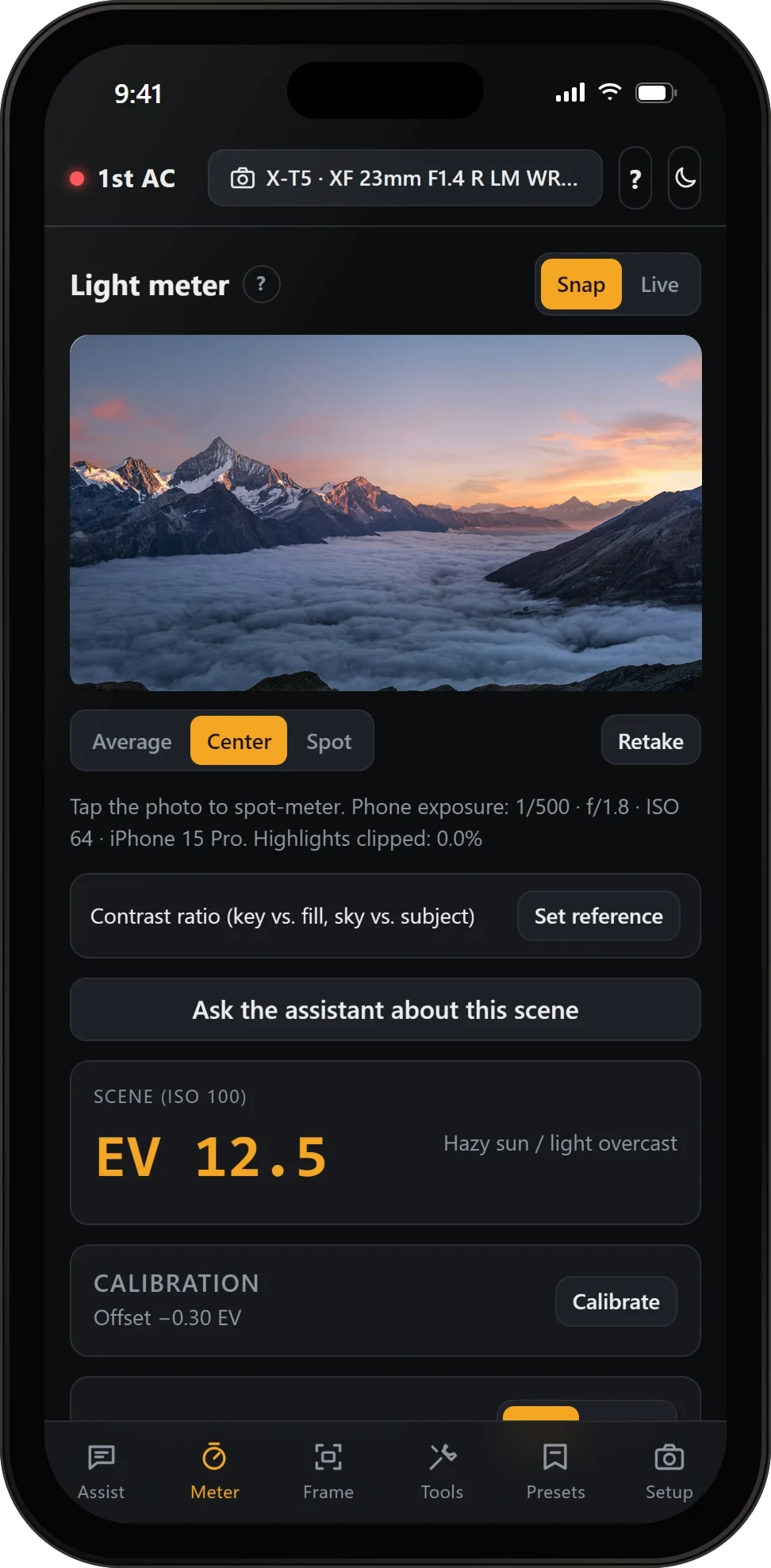
Meter
Snap a frame for a reading. Average, center or spot, and contrast ratios.
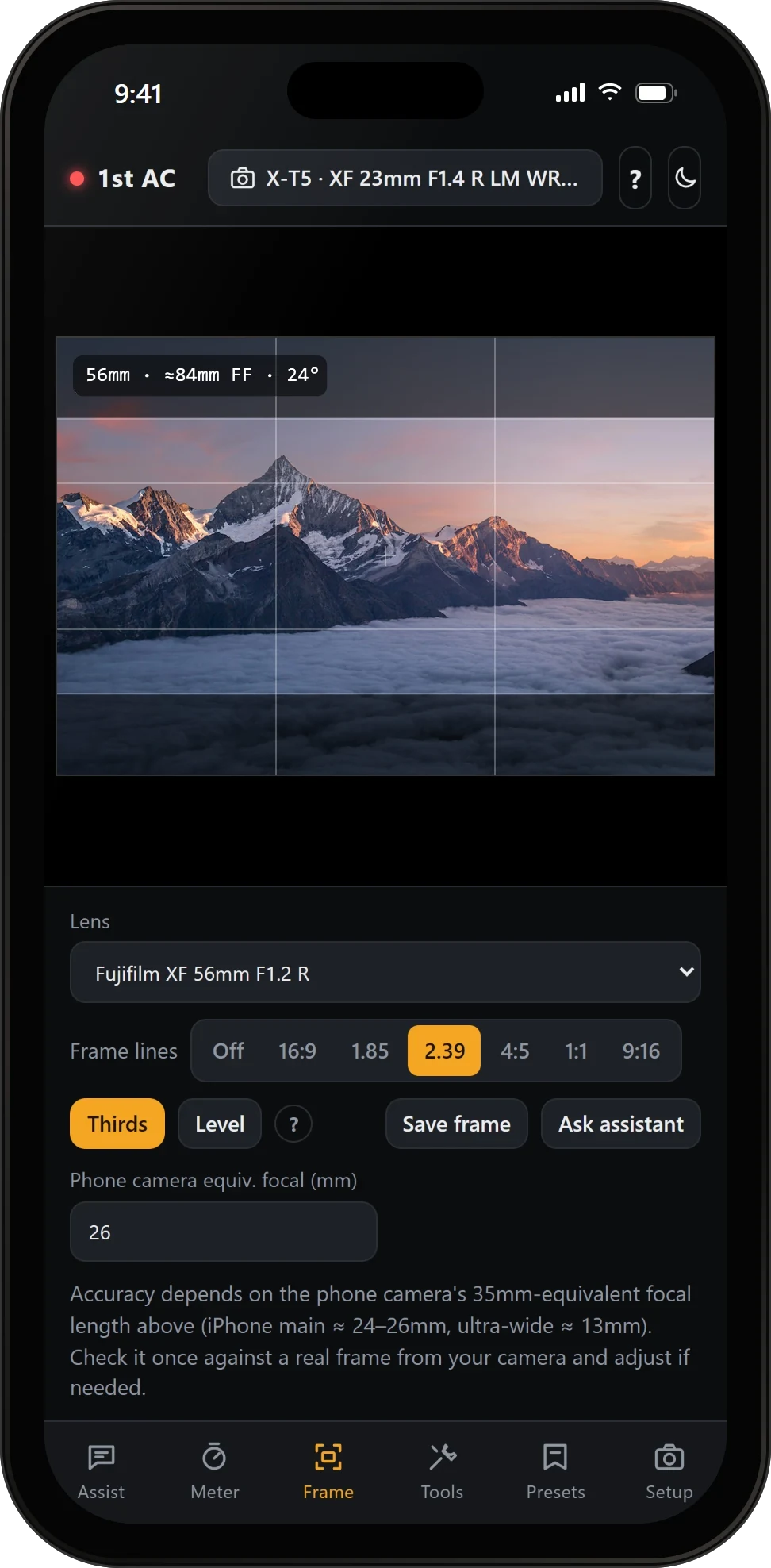
Frame
See each lens’s frame before building the rig. 16:9 to 2.39.
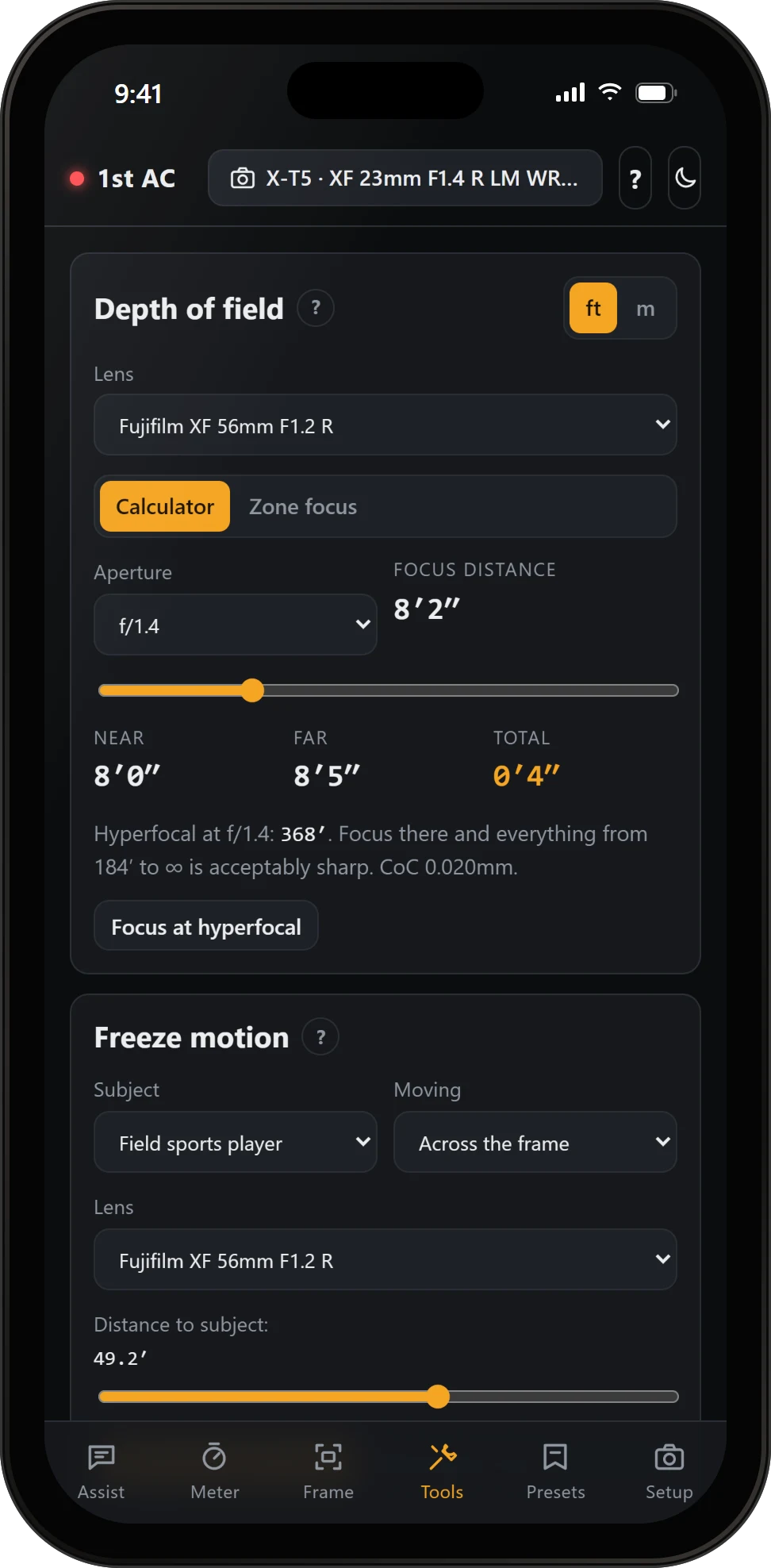
Depth of field
Near, far and total, with hyperfocal, for the lens on the camera.
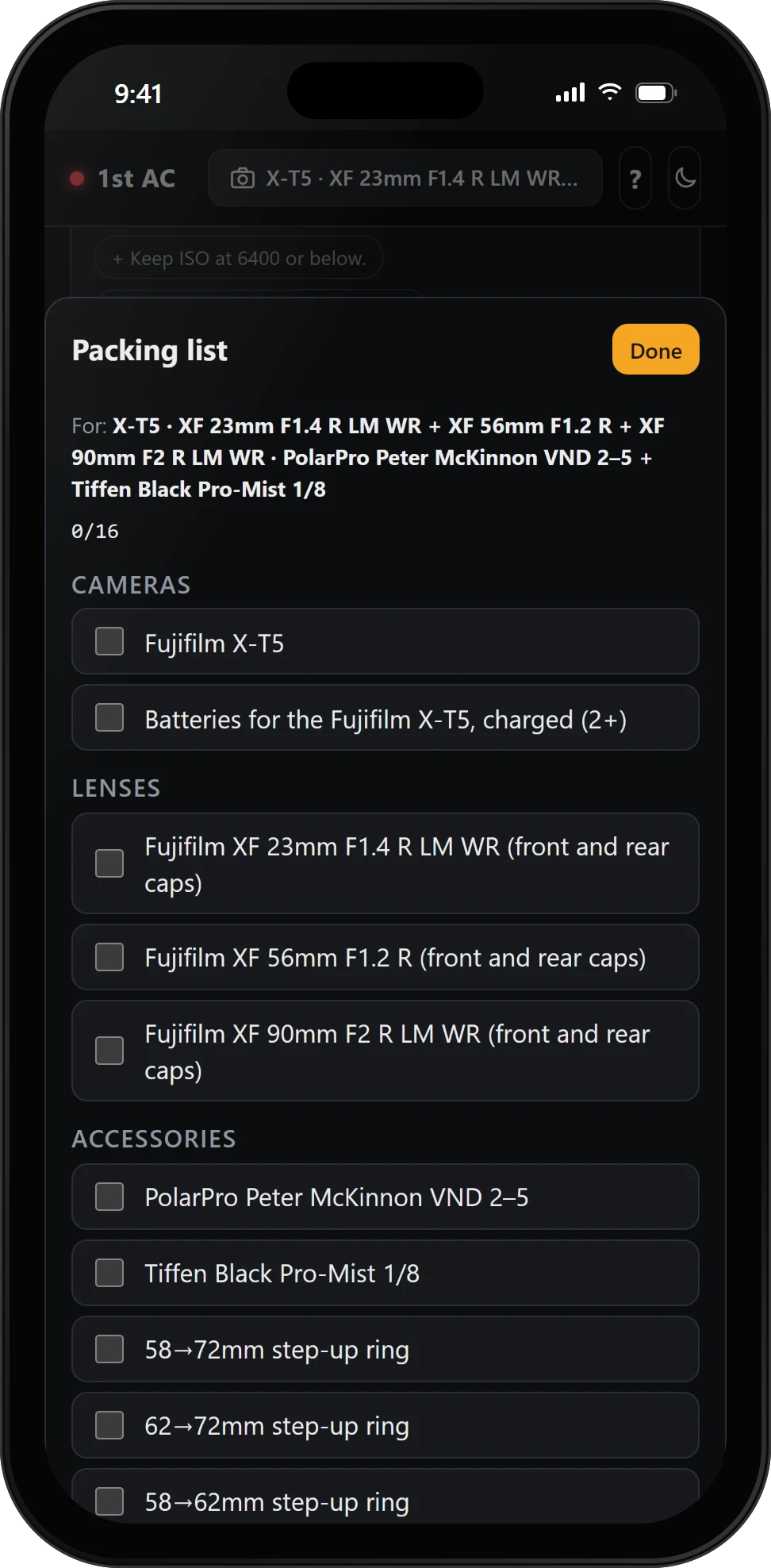
Packing list
Built from the day’s setup: bodies, batteries, lenses, filters and the step-up rings they need.
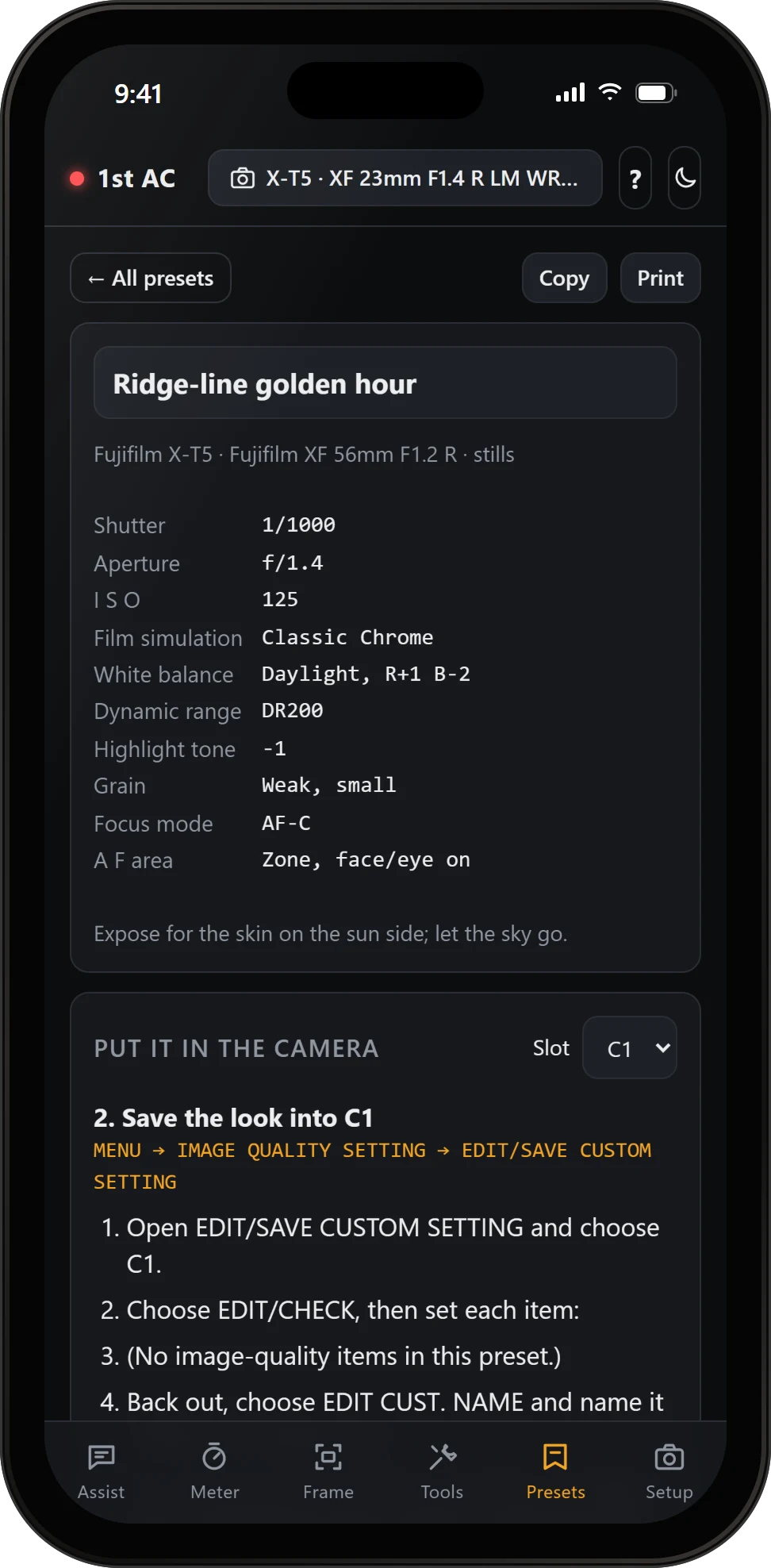
Presets
From an answer to custom slot C1, step by step.
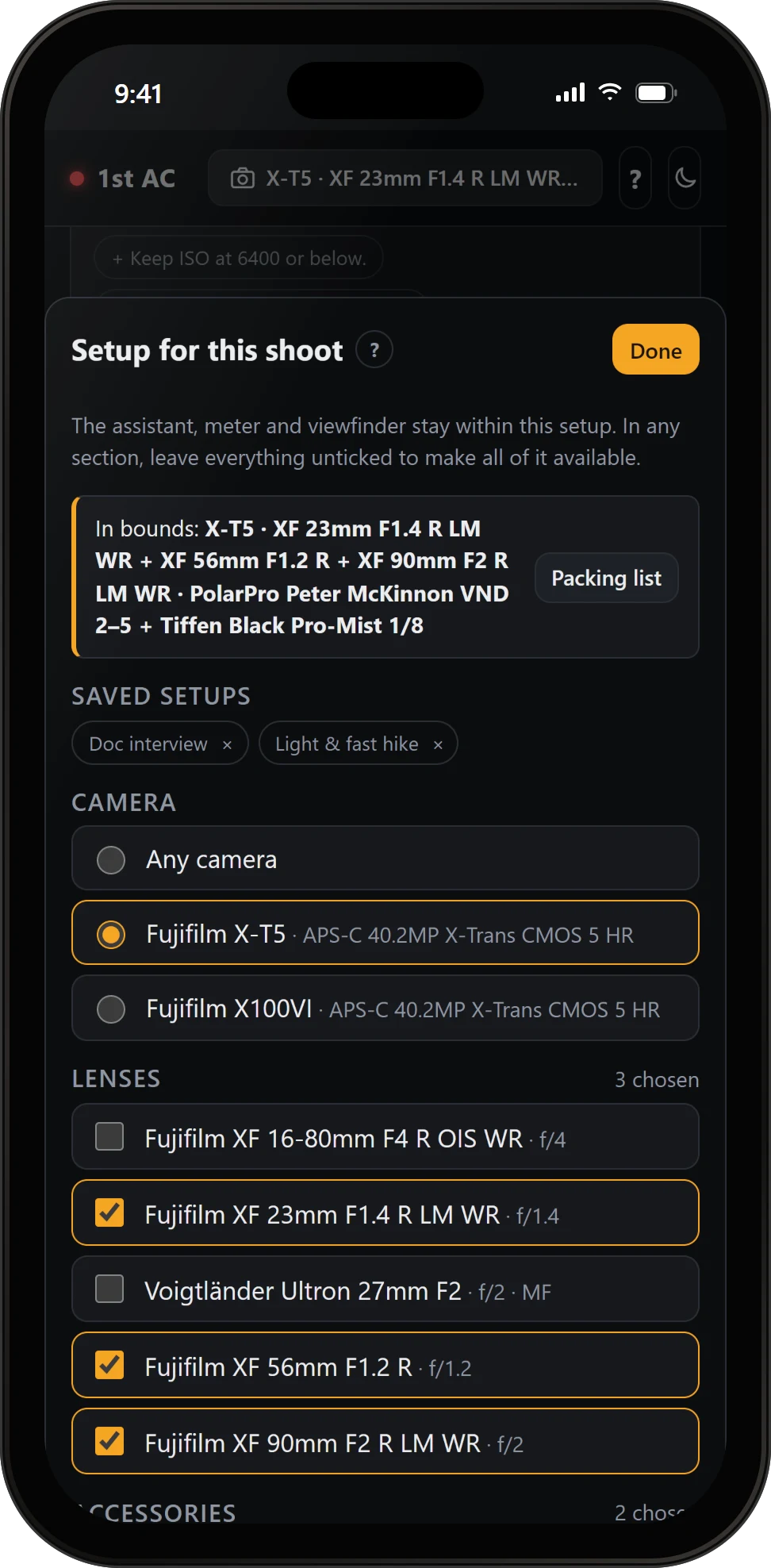
Setup
Choose what’s in bounds for the day, and every tool stays inside it.
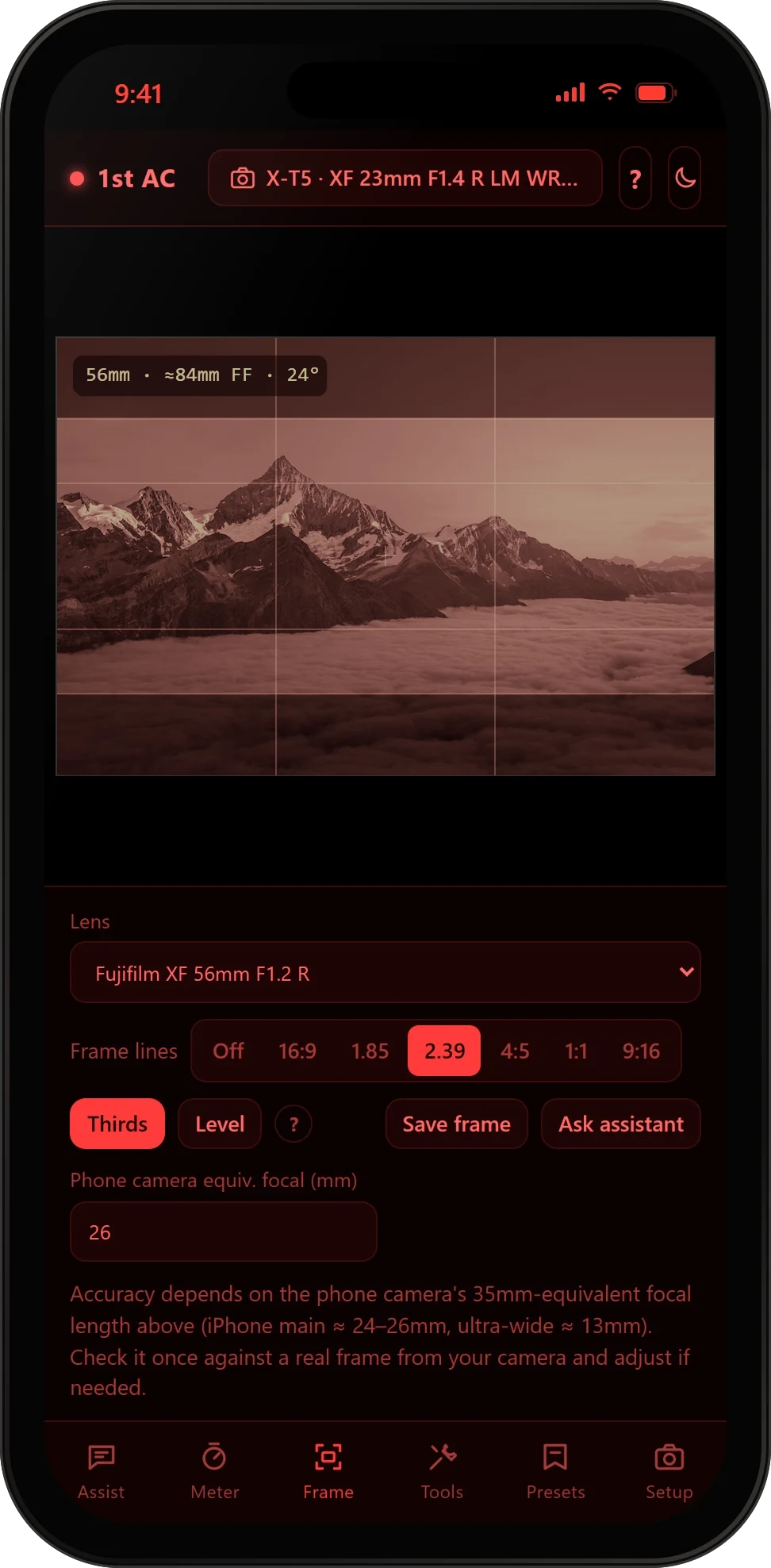
Night mode
One tap turns the app red, to keep night vision on dark sets.
The result
The photographers now carry one app that knows their kit and makes the calls an assistant would: lens, exposure, focus, filters and framing. It works offline on location, keeps their data on their own phones, and uses the Microsoft 365 sign-in they already had, so there was nothing new to manage.
In detail
- Platform: an installable web app for iPhone, Android and desktop browsers. Add to Home Screen; no app store.
- Assistant: Claude, from Anthropic. Quick, balanced or thorough answers. Reads photos of the scene and asks a question when it needs one.
- Light meter: a reading from the photo’s EXIF data on every phone; live readings with a histogram and clipping warnings on Android Chrome.
- Presets: Fujifilm X-T5 menu paths for custom slots C1 to C7 built in, and a written walkthrough for any other camera.
- Data: gear, presets and chat history stay on the device, with export and import as one file.
- Access: Microsoft 365 sign-in, invite-only for the company’s team.
App screens are real captures of 1st AC with a sample kit; the mountain view in the viewfinder and meter is a stand-in photo from Unsplash. The photo at the top is from Unsplash too, with a 1st AC screen on the phone. 1st AC™ is a trademark. Fujifilm and X-T5 are trademarks of FUJIFILM Corporation; Microsoft 365 is a trademark of the Microsoft group of companies; Claude and Anthropic are trademarks of Anthropic, PBC; iPhone is a trademark of Apple Inc.; Android and Chrome are trademarks of Google LLC. 1st AC isn’t affiliated with or endorsed by any of them.
What would your team’s 1st AC be?
Tell us about the job. We reply within one business day.